Quick File Renamer for Mac3.1
Publisher Description
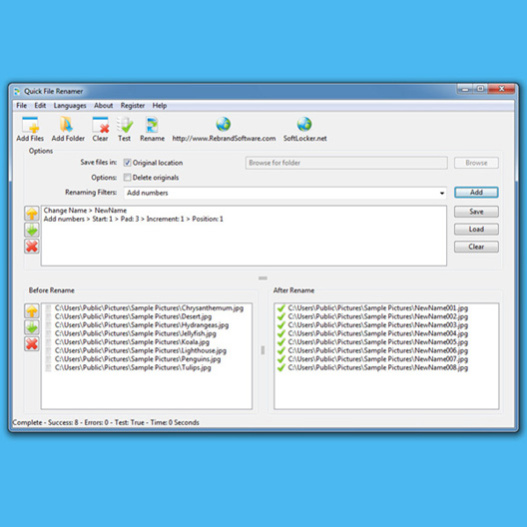
Most operating systems don't make it easy to rename a large number of files.
Now you can rename thousands of files or folders in seconds, saving time to do more important things.
Create simple or complex renaming filters to change the file name, add numbers, add the date, remove or replace text, change the extension and more!
Ensuring the safety of your files is priority number one. The software runs tests before renaming anything to check for problems, ensuring that no files are ever deleted or overwritten.
This software is a must have to manage today's digital photos, videos, or any large collection of files. Works on Windows, Mac and Linux!
About Quick File Renamer for Mac
This File & Disk Management program is available in English, Afrikaans, Albanian, Arabic, Armenian, Azerbaijani, Basque, Bulgarian, Catalan, Chinese, ChineseSimplified, ChineseTraditional, Croatian, Czech, Danish, Dutch, Estonian, Finnish, French, Galician, Georgian, German, Greek, Hebrew, Hindi, Hungarian, Indonesian, Italian, Japanese, Korean, Latvian, Lithuanian, Macedonian, Malay, Maltese, Norwegian, Persian, Polish, Portuguese, Romanian, Russian, Serbian, Slovak, Slovenian, Spanish, Swahili, Swedish, Thai, Turkish, Ukrainian, Urdu, Vietnamese, Welsh, Yiddish. It was last updated on 13 October, 2026. Quick File Renamer for Mac is compatible with the following operating systems: Mac.
The company that develops Quick File Renamer for Mac is Rebrand Software, LLC. The latest version released by its developer is 3.1. This version was rated by 1 users of our site and has an average rating of 3.0.
The download we have available for Quick File Renamer for Mac has a file size of 2.1 MB. Just click the green Download button above to start the downloading process. The program is listed on our website since 2010-06-14 and was downloaded 332 times. We have already checked if the download link is safe, however for your own protection we recommend that you scan the downloaded software with your antivirus. Your antivirus may detect the Quick File Renamer for Mac as malware if the download link is broken.
How to install Quick File Renamer for Mac on your Windows device:
- Click on the Download button on our website. This will start the download from the website of the developer.
- Once the Quick File Renamer for Mac is downloaded click on it to start the setup process (assuming you are on a desktop computer).
- When the installation is finished you should be able to see and run the program.
Program Details
General
System requirements
Download information
Pricing
Version History
version 3.1
posted on 2010-06-14
Completely new program with superior functionality. Create simple scripts to handle file changes for thousands of files per second.
